> For the complete documentation index, see [llms.txt](https://docs.captioneer.com/llms.txt). Markdown versions of documentation pages are available by appending `.md` to page URLs; this page is available as [Markdown](https://docs.captioneer.com/resources/email-support.md).
# Email Support
## How to Reset Captioneer Settings
If you are experiencing issues, the first step is to reset Captioneer Settings: [Reset Settings](/resources/email-support/reset-settings.md)
***
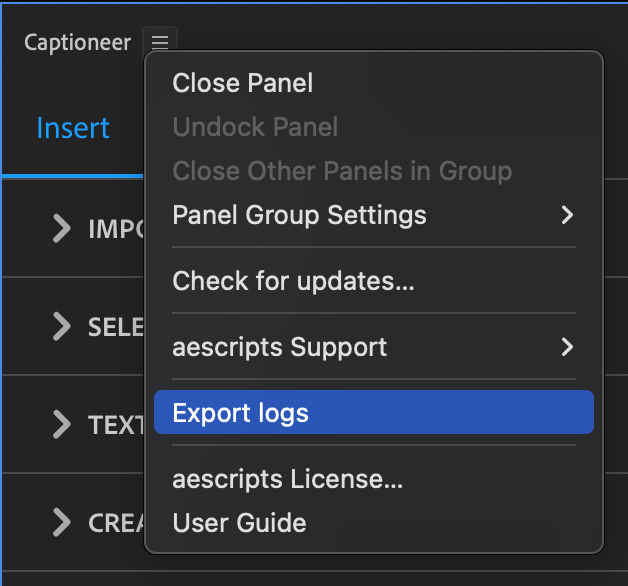
## How to Export Logs from Captioneer
## Email Support
We require debug logs to best assist you.
1. Follow instructions to create logs :point\_right: [#how-to-export-logs-from-captioneer](#how-to-export-logs-from-captioneer "mention")
2. Find the ZIP folder named **captioneer\_debug.zip** on your Desktop.
3. Send email attaching ZIP folder, and include a brief description of the issue.
:e-mail: